
Video Editor1.3 - Get APK
You'll be able to download in few seconds.
Publisher Description
Video Editor and Video Maker
YouCut is the best Video Editor and Video Maker, free Video Trimmer and , Signal and other social media.
FREE & No Watermark!
Key Features:
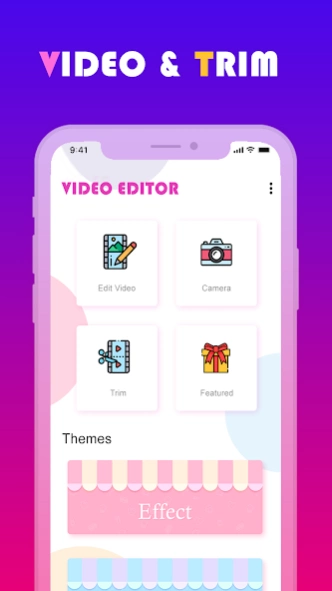
Video Trimmer & Video Cutter & Video Splitter
>> Trim and cut video to remove unnecessary parts.
>> Fast trimmer & Fast cutter: No quality loss, no re-encoding for fast cutting. Export videos at the same quality as the original videos.
>> Precise trimmer & frame accurate cutter: Additional trimmer with frame precise cutting. Export in HD Quality.
>> Split videos into two pieces.
>> Delete middle parts : Remove unwanted parts in the middle of your videos.
Video Merger & Video Joiner App
>> Free video joiner with music.
>> Combine multiple video clips to make one video
Add Music to Video
>> Video Maker with song, free
>> Combine videos with music. Trim and cut music, add multiple music parts
>> Adjust original video volume, adjust music volume separately
>> Mute video sound
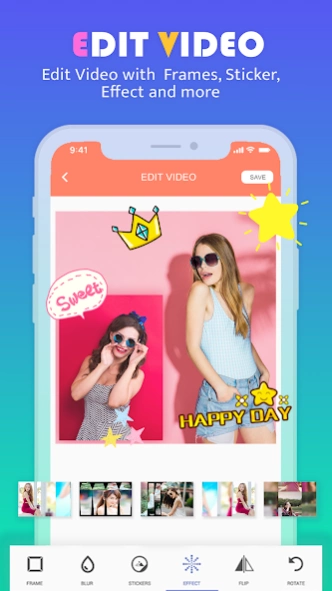
Add Text on Video & Sticker & Emoji & Watermark
>> Add text on video with font, color and style
>> Add emojis and stickers on video
>> Animate text and emojis
>> Add your own custom picture or watermark on video
Draw Video Editor & Draw on Video
>> Draw any shape on video by your hand
>> Adjust color, transparency, brush width
Video FX App & Video Filters & Video Effects
>> Apply stunning color filters to make your video stand out: Vintage, Sepia, Vignette, Gray, Blur and many more
>> Add cool FX effects to make your videos different.
>> Unique Feature: You can apply multiple filters and effects at the same time. Blend filters to create your own amazing effects.
Video Aspect Ratio Changer & Video Background
>> Fit video in any Aspect Ratio without cropping.
>> Apply video blur background or apply background color.
>> Make square video, no crop video maker.
Video to Mp3 Converter
>> Extract music from video, fast convert video to MP3 music
Photo Collage Maker & Photo Grid
>> Combine up to 9 photos into beautiful photo collage.
>> Edit image with filters, texts, stickers
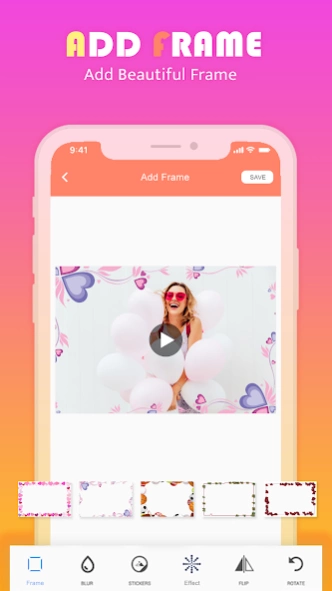
>> Many grids, frames to choose from
>> Background change, border size, roundness
Photo Slideshow Maker
>> Make slideshow video from pictures
>> Add fading transition effect, add music
Video Player & Video Organizer & Photo Organised
>> Explore all videos on your phone
>> Play your video clips
>> Share video clips and photos
>> Rename, delete, sort and list videos
>> Recycle Bin for deleted videos so that you can undo delete
>> Explore list of all photos in your gallery. View and edit photos.
Video Rotate App & Video Flip App
>> Fast rotate video by 90 degree or 180 degree
>> Flip video vertical or horizontal
>> Quick Rotation without encoding
Video Enhancer App
>> Enhance your video for a better quality. Adjust brightness, contrast, saturation, temperature.
>> Change audio volume level
Video Speed Changer
>> Add Fast Motion and Slow Motion effect
>> Adjust and control the speed of every video clip.
Video Converter App & Video Format Changer App
>> Free Video transcoder app to convert videos to other formats, change resolution to make your videos smaller. Supports conversion to GIF, 3GP, AVI, FLV, MP4, MPG, MOV, WMV and VOB formats.
>> Convert your video parts to animated GIF
Video Reverse App
>> Video reversing app, slow motion / fast motion video
>> Reverse video to make magic
Video Frame Grabber & Video Picture Extractor
>> Extract video frame pictures at any moment in video
>> Save video frame pictures to gallery
Video Compressor
>> Zip your video to make video size smaller for easy sharing
>> Adjust video export quality and resolution
>> Trim or crop video to make shorter
Disclaimer:
Video Editor is not affiliated, associated, sponsored, endorsed by, or in any way officially connected.
About Video Editor
The company that develops Video Editor is Social Info. The latest version released by its developer is 1.3.
To install Video Editor on your Android device, just click the green Continue To App button above to start the installation process. The app is listed on our website since 2021-09-20 and was downloaded 0 times. We have already checked if the download link is safe, however for your own protection we recommend that you scan the downloaded app with your antivirus. Your antivirus may detect the Video Editor as malware as malware if the download link to com.videojiyu.videoeditor is broken.
How to install Video Editor on your Android device:
- Click on the Continue To App button on our website. This will redirect you to Google Play.
- Once the Video Editor is shown in the Google Play listing of your Android device, you can start its download and installation. Tap on the Install button located below the search bar and to the right of the app icon.
- A pop-up window with the permissions required by Video Editor will be shown. Click on Accept to continue the process.
- Video Editor will be downloaded onto your device, displaying a progress. Once the download completes, the installation will start and you'll get a notification after the installation is finished.
Program Details
System requirements
Download information
Pricing
Version History
version 1.3
posted on 2021-09-21
Some bug Fix*
version 1.1
posted on 2021-09-14
Bug Fix*
Disclaimer
External Download
We do not host Video Editor on our servers. We did not scan it for viruses, adware, spyware or other type of malware. This app is hosted by Galad and passed their terms and conditions to be listed there. We recommend caution when installing it.
The APK Download link for Video Editor is provided to you by apps112.com without any warranties, representations or guarantees of any kind, so access it at your own risk.
If you have questions regarding this particular app contact the publisher directly. For questions about the functionalities of apps112.com contact us.
